Posts

Showing posts with the label Google Forms

Google Classroom integration with Form Presenter
Image
  Google Classroom Integration with Form Presenter What is Google Classroom? Google Classroom  is a free web service developed by  Google  for schools that aims to simplify creating, distributing, and grading assignments. The primary purpose of Google Classroom is to streamline the process of sharing files between teachers and students. Integration with Form Presenter Users can post your published link as new assignment/exam on Google Classroom right from Form Presenter. Click on Google Classroom to start integrating with Form Presenter. Allow permission for Form Presenter to integrate with Google Classroom. Create Classwork Provide Title for Assignment/Exam Provide your Instructions on Assignment Provide total points. It will show your Quiz total score that you provided in your Google Form. Select whether the Class work is to Assign or Draft(you need to assign it manually from Classroom if it drafted) Enabling Import Grade will import the quiz grade automatically o...
New Product Release - Form Presenter - May 2020

Image
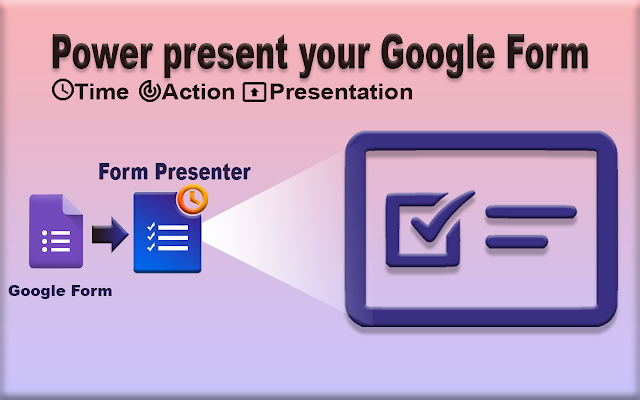
Introducing Form Presenter!!! Over the past few months, we worked hard and  released a new add-on Form Presenter, a  G Suite editor add-on for Google Forms. What is Form Presenter? Form Presenter is an add-on application for Google G Suite that presents a Google Form with va rious time, audience, action, and presentation controls. Conducting online exams or assessments is simple and fast with Form Presenter. Who needs Form Presenter? If you need to conduct an online assessment and need to track the exam attendee activities online? You are not alone; Form Presenter will help you achieve it. If you are a business person and need to hire persons online/ test your employees' skill level. Then Form Presenter is a lifesaver for you. Form Presenter adds Time Controls, Action Controls, and Presentation Controls to enable your Google Forms to conduct online quiz, tests, assessments and exams. TIME CONTROLS ► Control when to open and clo...

Form Director - Response Manager is now in Beta!!!

Image
Form Director - Response  Manager is now in Beta!!! What is Response Manager? Response Manager is a tool in Form Director which helps users to manage their submitted form responses. What all can be done by Response Manager? Response Manager helps users to search, sort, edit, delete, clone and reprocess their form responses that are already submitted.  Learn more about Response Manager . Note:  The old Resubmit Responses will be deprecated soon as all the features are now available in Response Manager. Contact Us  or write to  support@jivrus.com  for any queries                                                                           Visit us at  www.jivrus.com ...

Form Director Upgraded to 2.0 !!!

Image
Form Director has been upgraded to 2.0 Form Director is a G Suite add-on that enables Google Form to direct submitted data to various applications like Google Docs, Google Slides, Google Calendar, Google Contacts, Google Tasks, Google Sheets, Cloud Databases, Datastores, QuickBooks etc. Currently, Form Director supports 25 applications, these  applications are categorized into G Suite, Storage, CRM, Collaboration, Accounting, Productivity, Ticketing, Marketing, Payment, Common, and Communication. Check more apps in  Apps page  of the Form Director website. Beyond new apps, we have also introduced several new features in Form Director since version 1.0. Some key features include Notification feature Timezone Enhancements Calculated Fields Intelligent Mapping Google Calendar app Enhancements Google Contact app Enhancements Check  What's New  page of Form Director for more details. Contact Us ...

Form Director is reaching heights

Image
Form Director is supporting apps beyond GSuite, Yes you heard  that  right! As we promised , we have brought-in more applications into Form Director. Take a look at the new apps that we are supporting. 1 Asana is a web and mobile application designed to help teams organize, track and manage their work. What you can do with Form Director?  Create tasks for a particular Project in Asana  on Google Form Submission. 2 HubSpot CRM is built to be a platform that allows sales teams to get started quickly without making much of a change in their existing workflow. What you can do with Form Director?  Create contacts in HubSpot CRM on Google Form Submission. 3 Slack is a collaboration hub for work, no matter what work you do. It's a place where conversations happen, decisions are made and information is always at your fingertips. What you can do with Form Director?  Send Your Form...

Templated Field in Form Director

Image
Templated Field in Form Director   As you know Form Director maps Google Form questions to Application field and send the Google Form responses into appropriate mapped Application fields. This mapping is one to one, which means you can have only one Form Field mapped to an Application Field. What is Templated Field? Templated field allows you to map multiple Questions of a Google Form consolidated to a single Application field, In other words, an Application Field can have responses of multiple questions in that form using a template.  Sounds cool right? How to Configure Templated Field? While mapping Choose Templated Field from the choice Click on insert icon on the right corner of Template Message Choose the Form Fields Click on Save Map Below is a sample templated message send to a Slack Channel You can use the templated field in all the available applications in Form Director. Click this link  to know more abou...

Create Trello Cards on Google Form Submission - Form Director

Image
Creating Trello cards on Google Form submission using Form Director Trello  is a collaboration tool that organizes your projects into boards.   Trello boards, lists, and cards enable you to organize and prioritize your projects in a fun, flexible and rewarding way.  Now you can easily create Trello cards from your Google Form response using Form Director. Follow these simple steps to configure the interface with the Trello app in Form Director  Open Form Director Click on create new service Choose Trello from the list of apps Authorize with Trello Configure mapping with Trello app fields Save your service Apart from title and description, you can assign a due date, post comments, attach files, and more to your newly created Trello card.  Check  how to configure trello app  for detailed documentation and usage instructions.   Contact Us  or write to  s...