Posts

Showing posts with the label G Suite

New Product Release - Form Presenter - May 2020
Image
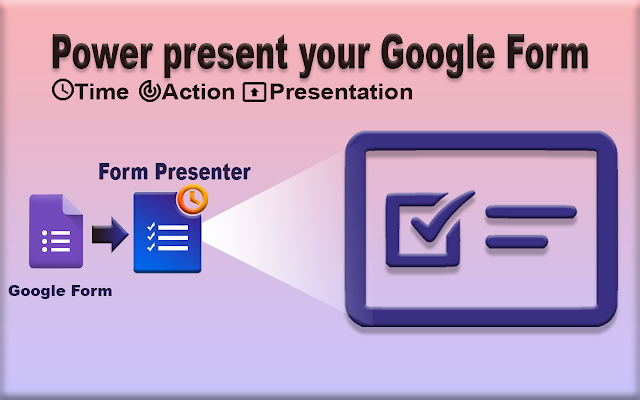
Introducing Form Presenter!!! Over the past few months, we worked hard and  released a new add-on Form Presenter, a  G Suite editor add-on for Google Forms. What is Form Presenter? Form Presenter is an add-on application for Google G Suite that presents a Google Form with va rious time, audience, action, and presentation controls. Conducting online exams or assessments is simple and fast with Form Presenter. Who needs Form Presenter? If you need to conduct an online assessment and need to track the exam attendee activities online? You are not alone; Form Presenter will help you achieve it. If you are a business person and need to hire persons online/ test your employees' skill level. Then Form Presenter is a lifesaver for you. Form Presenter adds Time Controls, Action Controls, and Presentation Controls to enable your Google Forms to conduct online quiz, tests, assessments and exams. TIME CONTROLS ► Control when to open and clo...

Leapfrog Mail Director into Cloud Flow Director!!!

Image
Migrated to work with Gmail as well as Calendar What is Mail Director and why are we migrating? "Mail Director" is an add-on that allows you to direct your email in Gmail into other G Suite applications like Docs and Sheets. Our users have found it to be valuable in extracting emails into a structured format and using them to further their unique business workflows. Google Cloud has introduced the new G Suite Add-ons framework in which a single add-on can work across Gmail, Google Calendar, and Google Drive. And hence, we are migrating Mail Director to support Gmail as well as Calendar (and Drive in future). In the process, we have renamed it to "Cloud Flow Director" as we felt it better represented this new functionality. Intro to Cloud Flow Director " Cloud Flow Director " is an add-on which allows users to direct their email in Gmail and Calendar events into various G Suite apps like Google Sheets, Google Docs, etc.. Cloud Flow Direct...

Asana is in Mail Director now.

Image
As planned , Asana gets into Mail Director now. Asana is the work management platform teams use to stay focused on the goals, projects, and daily tasks that grow business. Now you can easily create Asana Project Tasks fro m Gmail message using Mail Director. Follow the below steps to connect with Asana and add a task  with your mapping of Gmail fields  in Asana with the Asana app in Mail Director  Open the Mail Open Mail Director Add-on Click Create new Choose Asana from the list of apps Once configured, you can simply create a new task in Asana with a click of a button from the currently open email. Check  Configure Asana App  for detailed documentation and usage instructions Contact Us  or write to  support@jivrus.com  for any queries Jivrus Technologies

Form Director is reaching heights

Image
Form Director is supporting apps beyond GSuite, Yes you heard  that  right! As we promised , we have brought-in more applications into Form Director. Take a look at the new apps that we are supporting. 1 Asana is a web and mobile application designed to help teams organize, track and manage their work. What you can do with Form Director?  Create tasks for a particular Project in Asana  on Google Form Submission. 2 HubSpot CRM is built to be a platform that allows sales teams to get started quickly without making much of a change in their existing workflow. What you can do with Form Director?  Create contacts in HubSpot CRM on Google Form Submission. 3 Slack is a collaboration hub for work, no matter what work you do. It's a place where conversations happen, decisions are made and information is always at your fingertips. What you can do with Form Director?  Send Your Form...

Jivrus turned THREE

Image
Completed THREE years of Jivrus Technologies and marching into the fourth year.  The third year has been a year of making a strong foundation on the products. We have been focusing on making our flagship products with significant new features that enrich the users' ability to automate their business or bring more value to their profession.  Our team is geared up to bring up "awesome" feeling on  our products .  Three key aspects of focus are Product Maturity - Rich set of features with high reliability and usability Marketing - Taking the product to the right people and enabling them Customer Success - Ensuring the products are harnessed for customer success This year, we added three new products ( Form Builder , Mail Director and Form Director ). If you are on G Suite or GCP or simply have a Gmail account, you should not miss our products. Check-out  our products Our technology partnership with Google is going strong. Google has been beh...

Custom Marker, Map Types and Auto Refresh - Map My Sheet - New Feature

Image
Make your map more attractive with 3 new features New Features We are introducing 3 new features to make your map more attractive     Custom Markers       Map Types       Auto Refresh      Custom Marker The custom marker is a way to present your business data on a map with your own marker icons/ images. To create a custom marker in Map My Sheet, follow the steps below . 1 . Open Map My Sheets add-on. Click on the settings button.  2.  In Custom Marker section you have to provide name along with image address. 3.  Click  Save, after saving your new custom marker will appear in marker list. And the same can be used as a marker in the map. Map Types Now, Map My Sheet provides you an option to select map type. Google Maps has 4 different map types. All are available in Map My Sheet. ROADMAP ( normal , defau...

Create Trello Cards on Google Form Submission - Form Director

Image
Creating Trello cards on Google Form submission using Form Director Trello  is a collaboration tool that organizes your projects into boards.   Trello boards, lists, and cards enable you to organize and prioritize your projects in a fun, flexible and rewarding way.  Now you can easily create Trello cards from your Google Form response using Form Director. Follow these simple steps to configure the interface with the Trello app in Form Director  Open Form Director Click on create new service Choose Trello from the list of apps Authorize with Trello Configure mapping with Trello app fields Save your service Apart from title and description, you can assign a due date, post comments, attach files, and more to your newly created Trello card.  Check  how to configure trello app  for detailed documentation and usage instructions.   Contact Us  or write to  s...